Clinical photographs
Clinical photographs in series, with their markups
The patient’s intraoral and extraoral photographs, grouped by date. They are cropped, annotated and measured in millimetres, and the team comments on the photo itself.
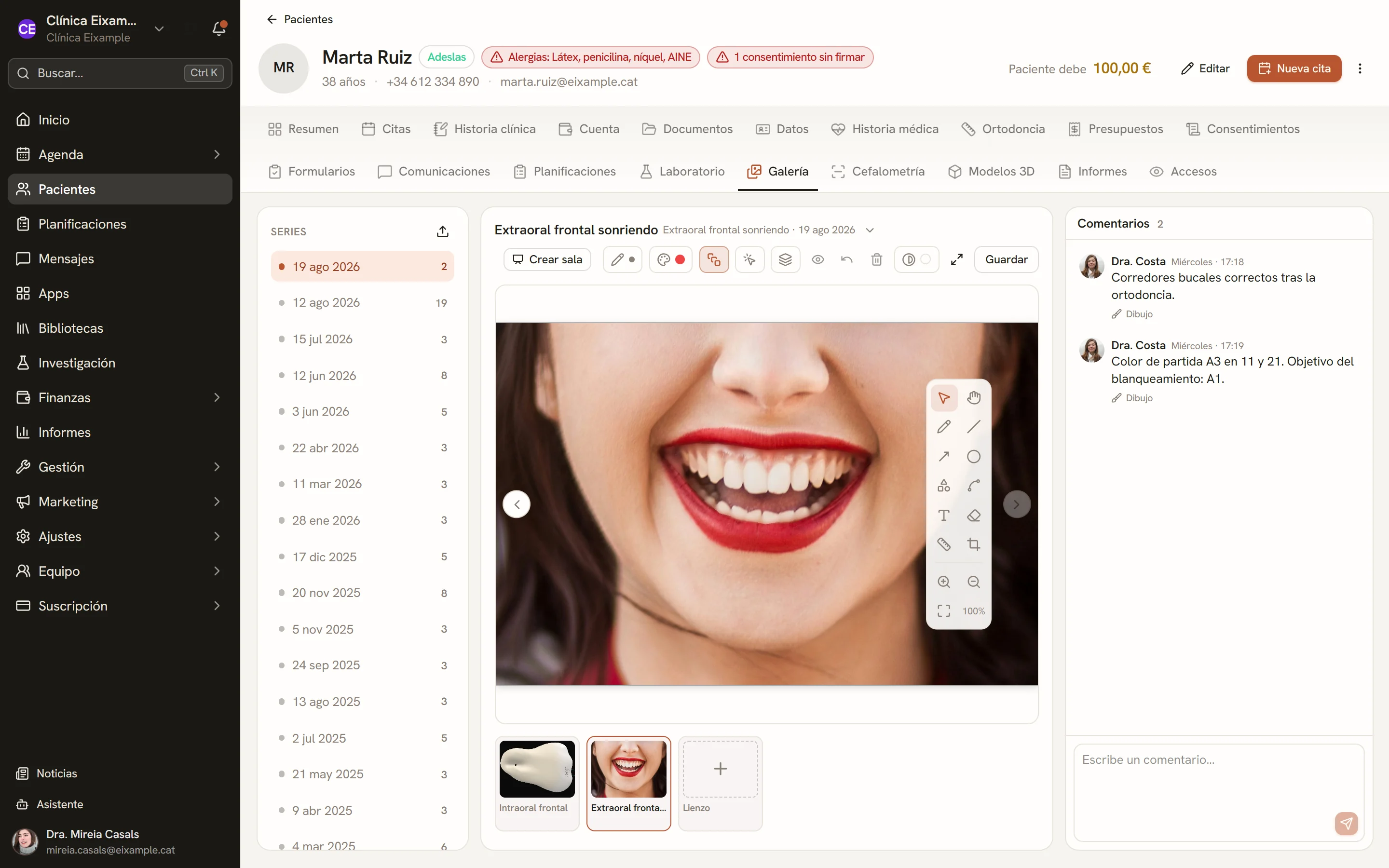
Screens of the software with sample data.
Series by date
Each upload creates that day’s series. Each photo carries its clinical view from the photography protocol and can be moved to another day’s series.
- Several photos uploaded at once
- Download a single photo or the whole series as a ZIP
Annotations on the photo
Pencil, line, arrow, circle, text and eraser, with colour and thickness, in layers that can be reordered and hidden. When the photo is cropped, rotated or flipped, the markups go with it.
- Team comments with their drawing
- Blank canvas for diagrams
Crop, rotate and flip
The photo is cropped, rotated and flipped, and its calibration and markups adjust with it.
Tooth shapes
Frontal and lateral arches, with their teeth, brackets and archwire, to place over the photo.
Calibrated measurements
A calibration ruler on a known distance and, from it, dimensions in millimetres on the photo.
Duplicate and copy
A copy of the photo with its markups and calibration, or the photo placed over another one or over a canvas.
Viewer background
Black, grey or white around the photo, to judge colour without the surroundings altering it.
View without markups
Markups are hidden with a click to see the original photo.
Technical details
- Series
- By date
- Views
- Intraoral and extraoral, per protocol
- Measurements
- Millimetres, with a calibration ruler
- Download
- Single photo or series as ZIP
- Access
- Patient record and treatment plans
See Dexodent in a demo
For a demo, a price for your clinic or any question.