3D models
3D models from every session measured, prepared and sent
Arches and bite registration in STL, organised by session. They are measured, prepared and based in the viewer itself, and sent to the laboratory from the patient record.
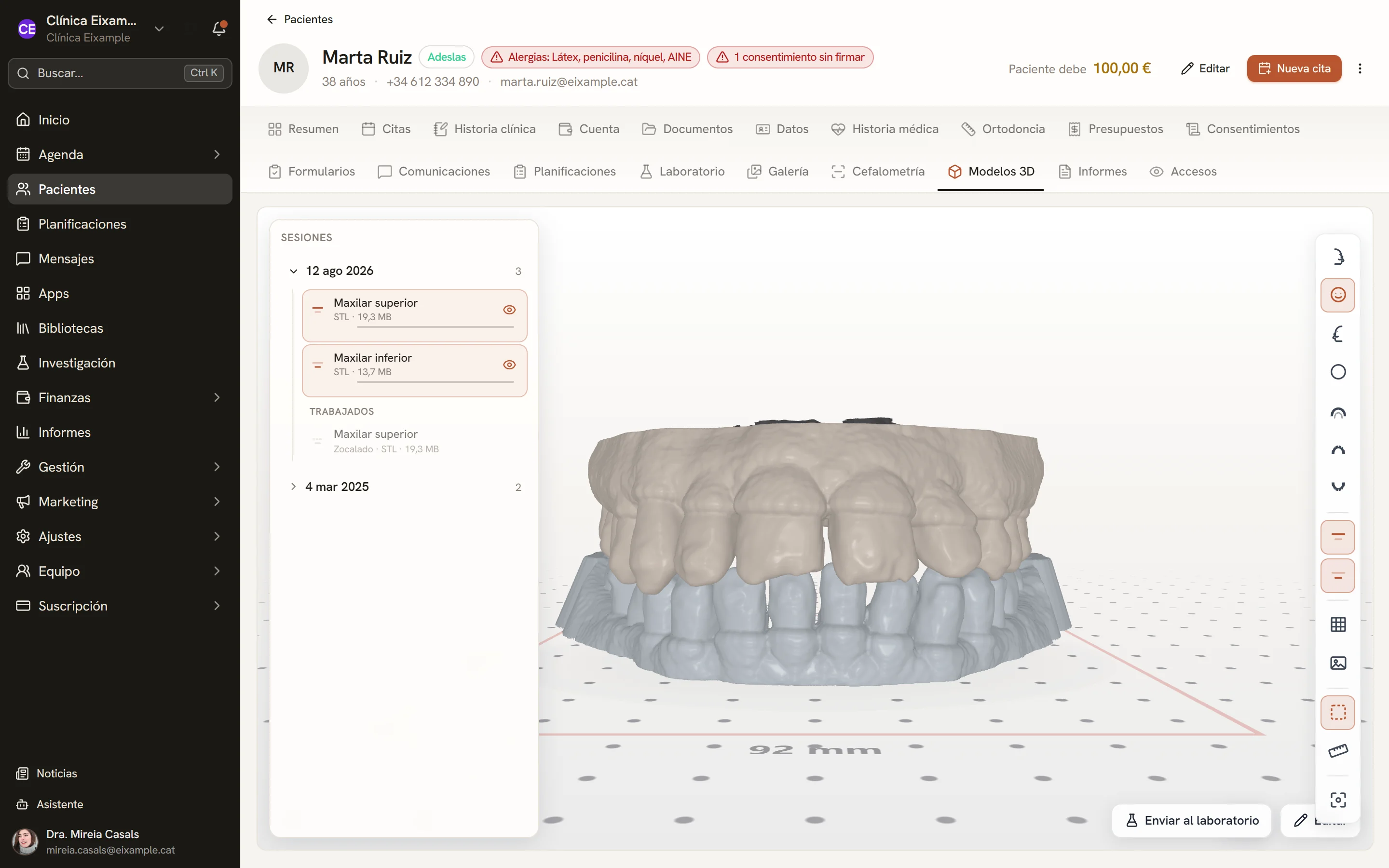
Screens of the software with sample data.
Scans by session
Each session groups the upper arch, the lower arch and the bite, with the size of each file. Worked models are stored separately, leaving the original scan untouched.
- STL up to 50 MB per file
- Each arch shown or hidden with a click
Views and measurements
Frontal, lateral, occlusal and overjet views in one click. The distance between two points is measured with two clicks on the model, over a millimetre grid.
- Photographs superimposed on the model
- Proposed tooth segmentation, for review
- Models sent to the laboratory
Orientation
The model is placed on its occlusal plane before measuring or basing it.
Repair
When the editor opens, the base and the holes in the mesh are detected, with their figures, ready to be repaired.
Trimming
The mesh is trimmed along the marked area, and the gap left by the cut is closed.
Model base
A flat base for the working model, kept with the model from one tool to the next.
Sculpting
A volume brush to add or remove material in an area of the model, with undo and redo.
Occlusal contacts
Inter-arch distance on a colour map with a millimetre scale, facing occlusal views like articulating paper and an imported occlusal sensor recording, tooth by tooth.
Technical details
- Files
- STL up to 50 MB
- Parts
- Upper arch, lower arch and bite
- Editing
- Orient, repair, trim, base and sculpt
- Occlusion
- Distance map in millimetres
- Access
- Patient record and treatment plans
See Dexodent in a demo
For a demo, a price for your clinic or any question.