Clinical tools
Cephalometry, models, CBCT and photos in the patient record
Radiographs, models and photos of the patient open from their record, without switching to another program or uploading the files again.
01
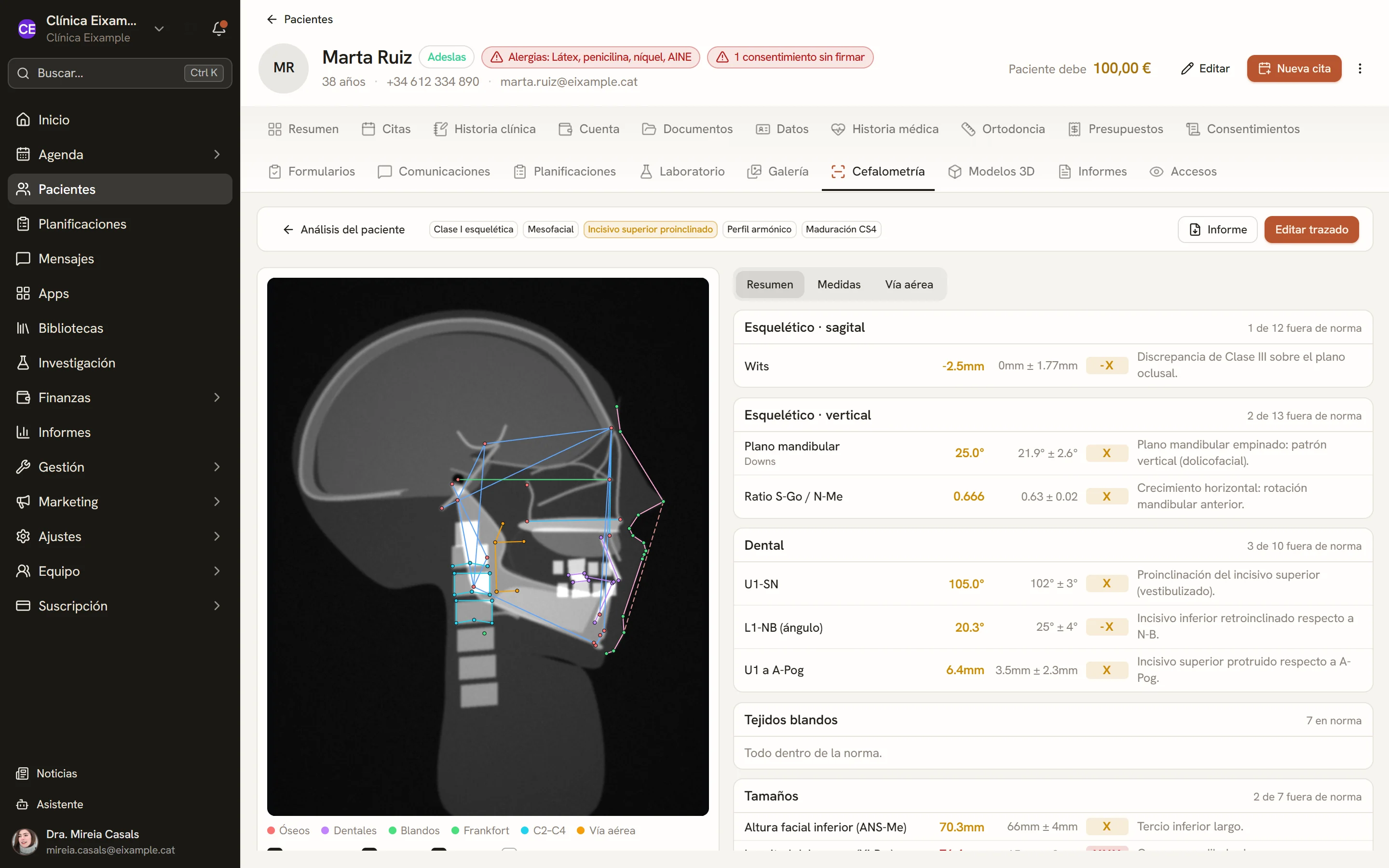
Cephalometry
Tracing on the lateral cephalogram, by hand or with an automatic proposal of points that the professional reviews. Analyses by Ricketts, Steiner, Jarabak, McNamara, Downs and Tweed, among others, with a PDF report.
- Manual landmarks or an automatic proposal accepted point by point
- Ricketts, Steiner, McNamara, Jarabak, Downs, Tweed, Holdaway and custom analyses
- Cervical vertebral maturation and pharyngeal airway
- Tracing superimposition and PDF report
02
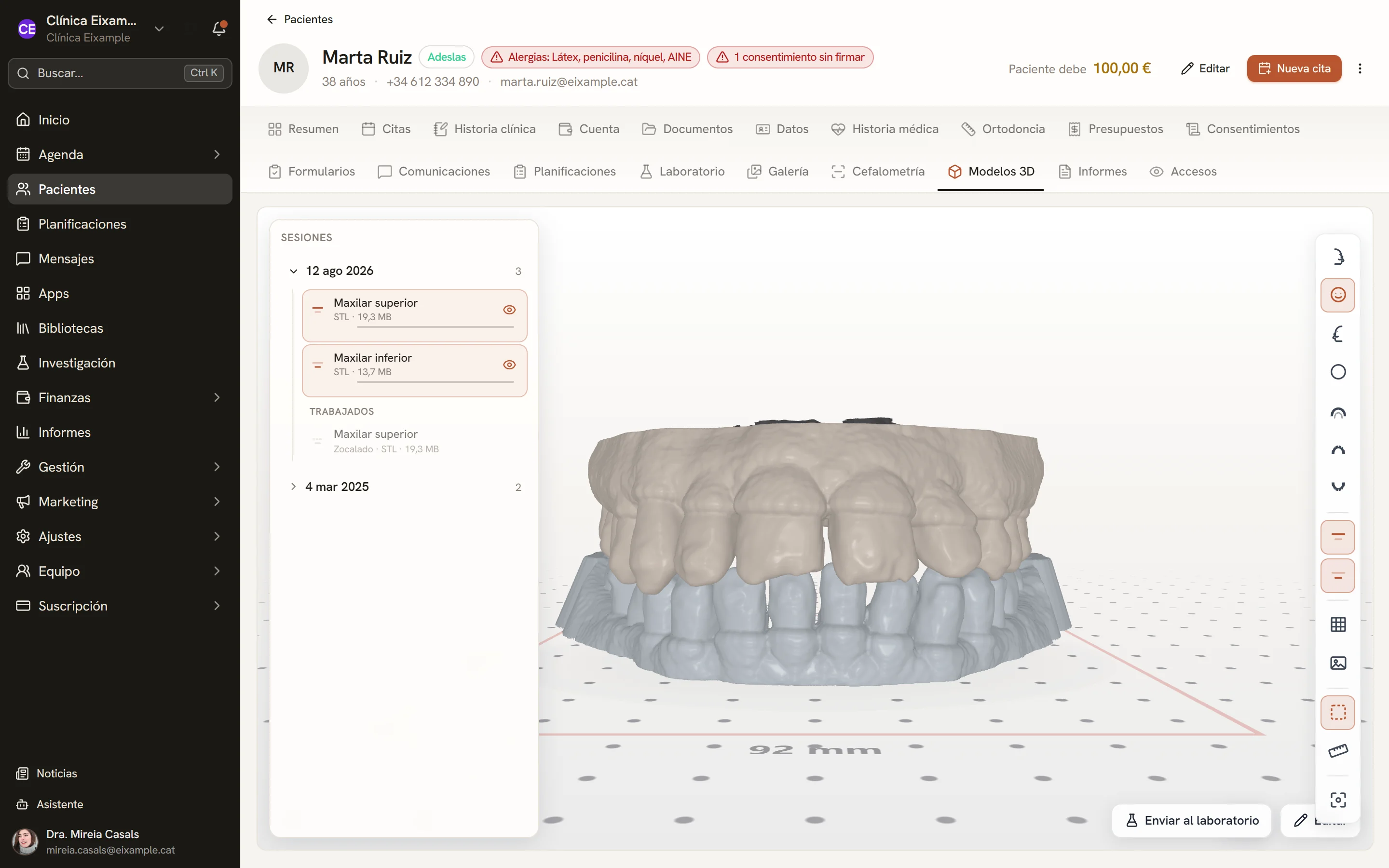
3D models
Viewer for scanned models in STL, with the patient arches saved in their record, and base trimming of the model for printing.
- Arches and bite registration in STL, by session
- Orientation, repair, cutting and model bases
- Measurements and occlusal contact map
- Sending models to the laboratory
03
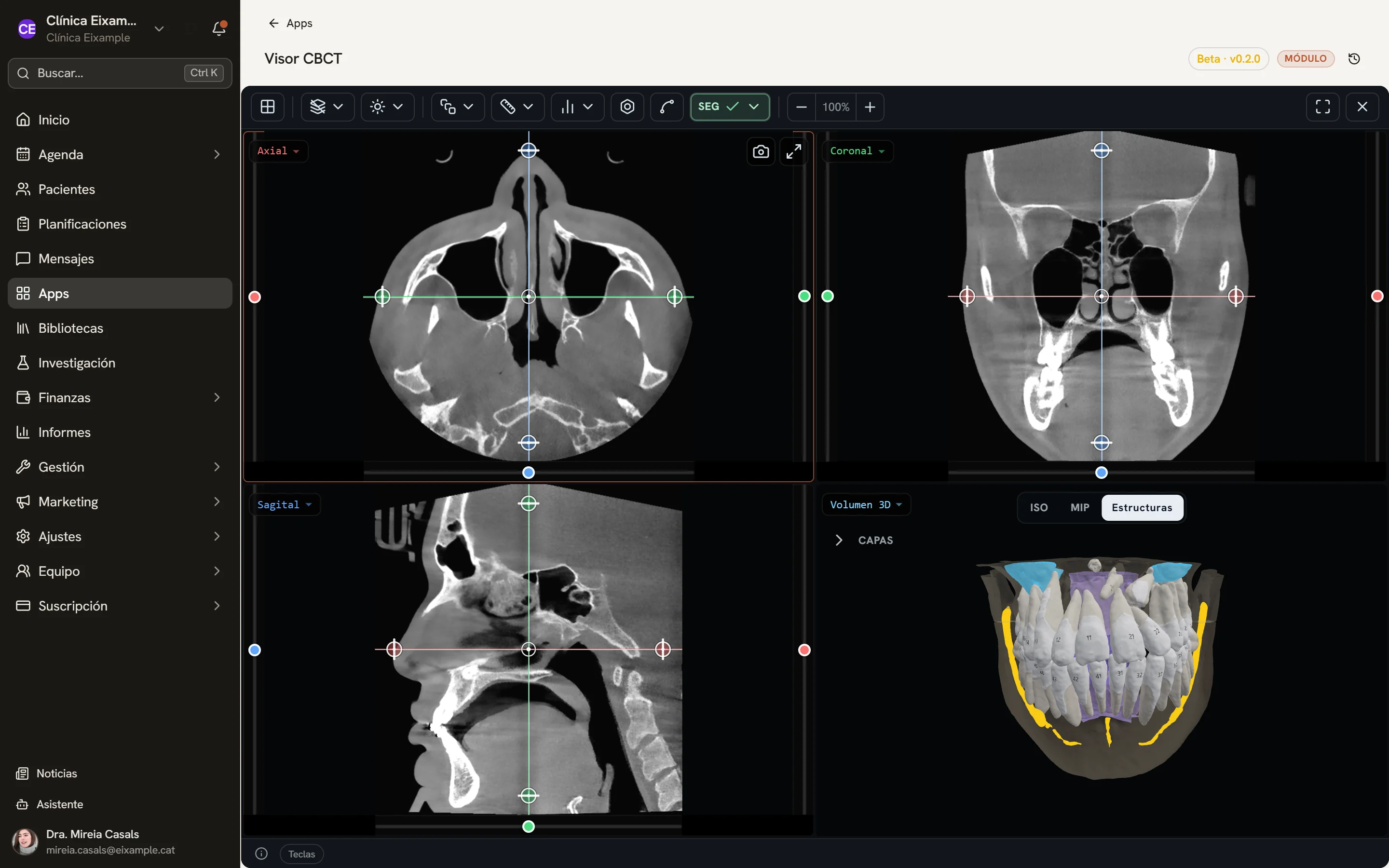
CBCT
Volume viewer with the three slices, the panoramic reconstruction, the 3D view and measurements. The automatic separation of teeth is in beta.
- DICOM studies as loose files or ZIP
- Axial, coronal, sagittal and oblique slices, with thick slabs
- Panoramic along the arch curve and cross-sections
- 3D volume, measurements and captures to the gallery
04
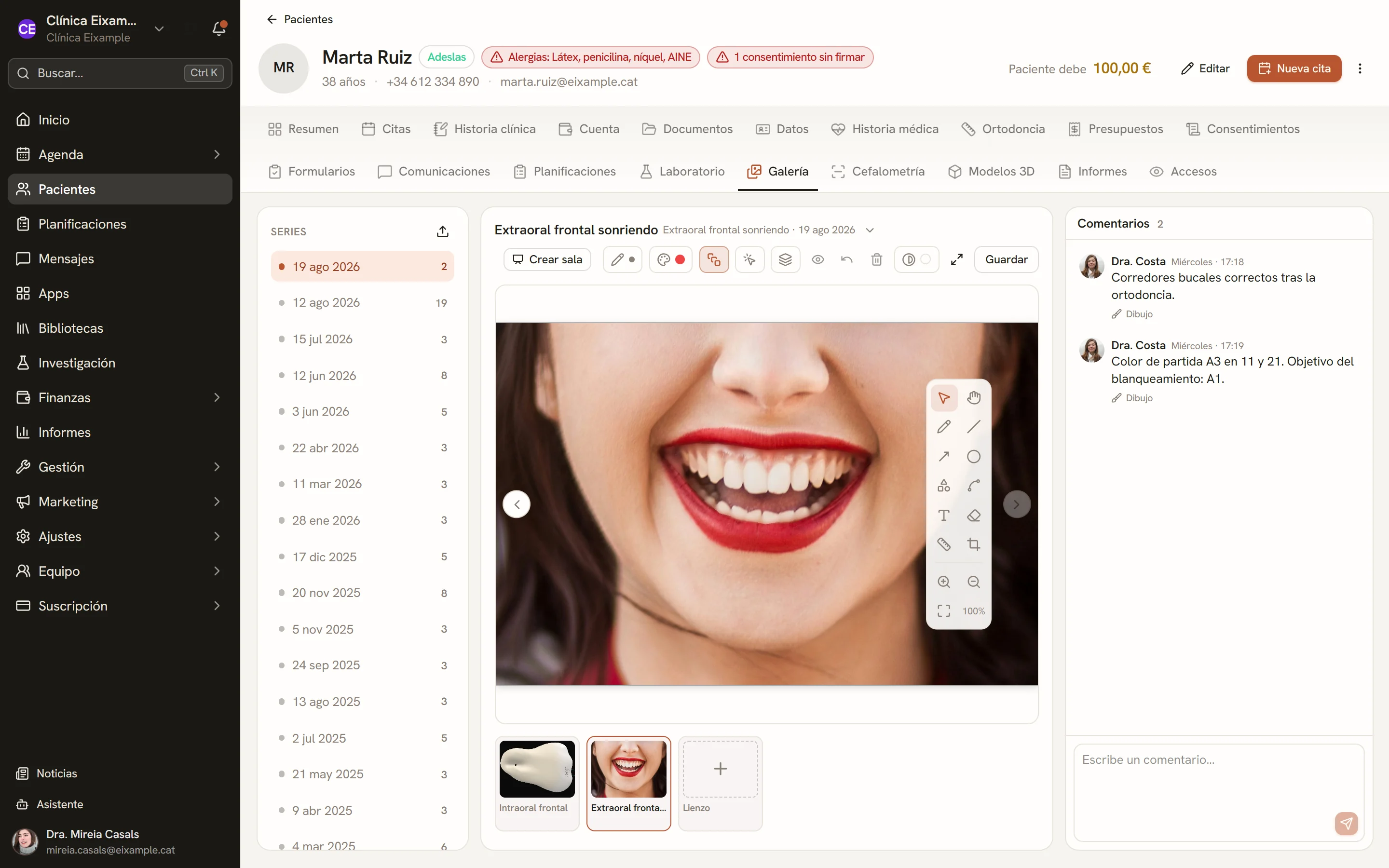
Photographs
Gallery of intraoral and extraoral photos by date, with cropping, annotations and team comments on each image.
- Series by date, intraoral and extraoral
- Cropping, rotation and flipping
- Annotations, tooth shapes and measurements calibrated in millimetres
- Team comments and ZIP download
What they share
From the patient record
Cephalometry, 3D models and photographs are tabs of the record; CBCT opens from its documents. The files stay stored with the patient.
Proposals for review
Proposed cephalometric landmarks and automatic tooth separation are shown as proposals: the clinician accepts or corrects them.
Reports and captures
PDF report of the cephalometric tracing, reports of the CBCT analyses and captures that go to the patient’s gallery.
More planning tools are in development; they will be announced when they are finished.
See Dexodent in a demo
For a demo, a price for your clinic or any question.